Compare two texts online
This free text comparison tool (also known as a diff checker) finds the differences between two texts or documents. Paste both versions, press Compare!, and every added, removed, or changed line is highlighted side by side — with word-level highlighting inside changed lines so even small edits stand out. It works with plain text, source code, essays, contracts, articles, or any other content.
Features
- Side-by-side diff view with line numbers
- Aligned view that stacks each pair of lines and pads tokens into shared columns
- Word-level highlighting inside changed lines
- Difference navigation — jump between changes with the ▲ / ▼ buttons
- Private by design — the diff runs entirely in your browser, nothing is uploaded
- Free, with no sign-up, ads, or installation
What the comparison looks like

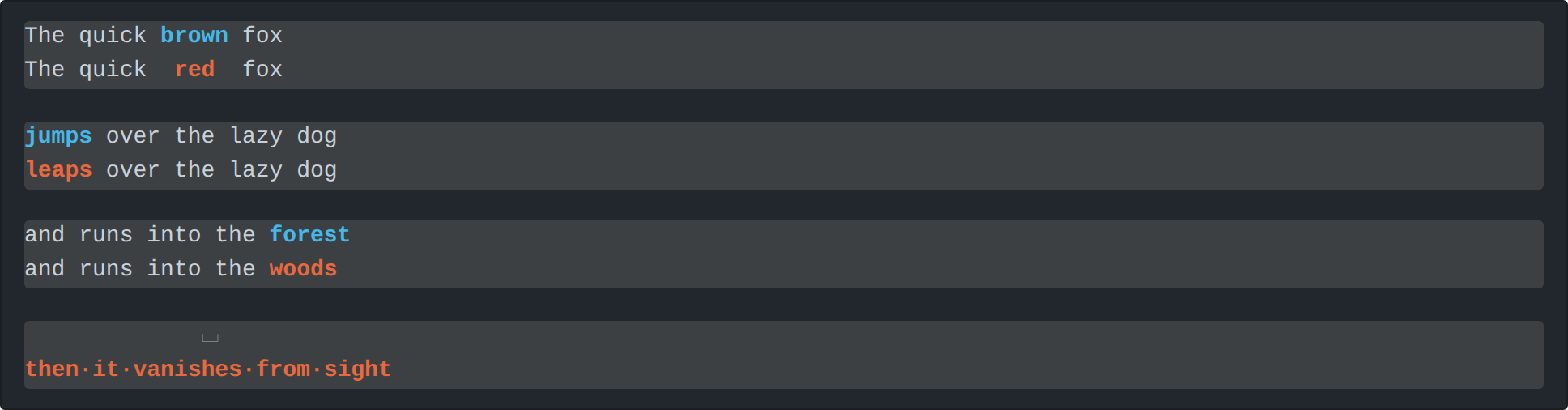
⌴ and grouped tokens are joined with ·.
Frequently asked questions
Is my text uploaded to a server?
No. The comparison runs entirely in your browser using JavaScript. Your texts never leave your device and nothing is stored or uploaded.
How do I compare two texts?
Paste the first text into the left box and the second text into the right box, then press Compare!. Differences are highlighted side by side, and you can jump between them with the navigation arrows.
Is there a limit on text size?
There is no fixed limit. Because the diff runs locally in your browser, very large texts are only limited by your device's memory and speed.
Is the text comparison tool free?
Yes, the tool is completely free to use, with no sign-up or installation required.